
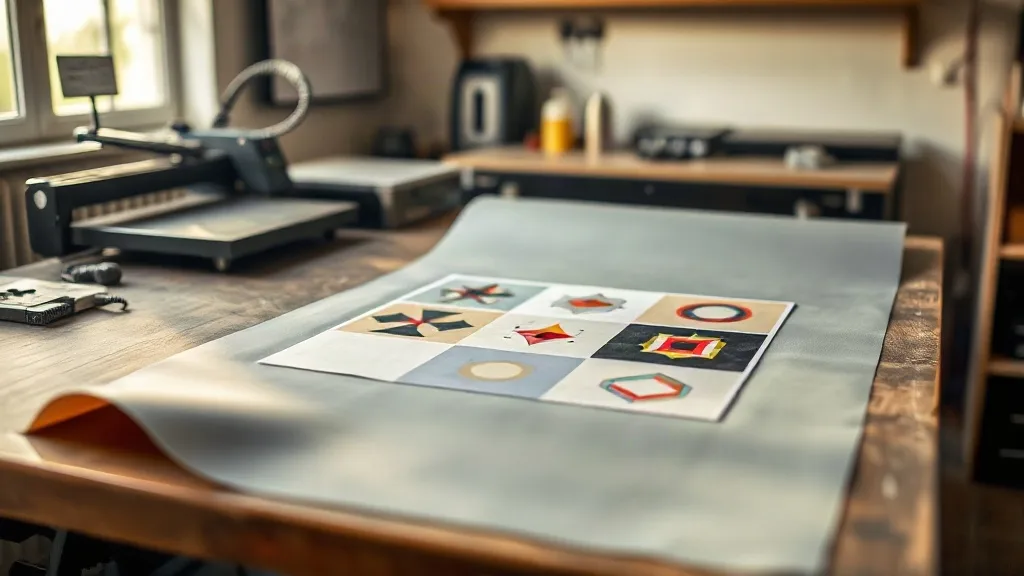
Most small print shops lose money on custom apparel in the same quiet way: they print one design at a time, pay for a full sheet of film, and eat the waste. A DTF Gangsheet fixes that math. Instead of running a single logo on a sheet sized for a single logo, you pack multiple designs onto one continuous film, print them together, and cut them apart. The film cost per shirt drops, the press stays busy, and small orders finally make sense.
This guide is for the person running a heat press in a garage, a one-room studio, or a side business that grew faster than expected. It covers how gangsheets actually work, how to plan one without wasting space, what sizes to order, and the mistakes that quietly burn film and ink.
What a DTF Gangsheet Actually Is
Direct-to-film printing works by printing your artwork onto a special film, applying a powder adhesive while the ink is still wet, curing it, and then pressing the transfer onto fabric with heat. A gangsheet is simply the same process scaled up: a large sheet of film, often 22 or 24 inches wide and anywhere from 12 inches to several feet long, filled with as many designs as fit.
The word gang comes from the print industry habit of ganging jobs together, meaning combining separate print jobs onto one sheet to share setup costs. In DTF, the savings are real and easy to see. Film, ink, and powder are consumed per square inch, so a sheet that is 90 percent full costs almost the same to produce as one that is 40 percent full. You pay for space, not for designs.
Why the Format Suits Small Operations
Large screen printing shops gang jobs too, but they have the volume to justify dedicated equipment. DTF changes the equation because the setup is digital. There is no screen to burn, no color separation, and no minimum order from a supplier who wants 50 units. A single gangsheet can hold one large back print, a dozen left-chest logos, and a run of sleeve tags. That flexibility is what makes it useful for shops handling mixed, small, and unpredictable orders.
How to Plan a Gangsheet That Wastes Nothing
The difference between a profitable sheet and an expensive one is almost always the layout. Before you touch the design software, gather every job that needs printing in the next week or two and build one sheet from all of them.
Start With a Size Inventory
List every design you plan to print and its finished dimensions. A left-chest logo is roughly 3 to 3.5 inches wide. A standard front print runs about 10 to 12 inches. A full back print can reach 12 to 14 inches wide and 16 inches tall. Write these down, because guessing dimensions is how you end up with a sheet that has a two-inch strip of dead space down one side.
Nest, Do Not Just Line Up
Most design software has a nesting or packing feature, but it rarely does the job well on its own. Rotate designs where the artwork allows it. Place small items in the gaps beside large ones. If you have four back prints that are 12 inches wide on a 24-inch roll, you can fit two side by side and use the leftover column for chest logos. The goal is to leave as little blank film as possible, because blank film still costs money and still has to be powdered and cured.
Leave a Real Margin
Packing too tight is a common beginner error. Designs need a small gap between them, usually a quarter inch or more, so the cutter has room and the powder does not bridge two designs into one. Edge margins matter too. Artwork printed too close to the film edge tends to curl or catch during pressing. A tight but breathable layout beats a maximally packed one that ruins half the sheet.
Choosing the Right Sheet Size for Your Workflow
Sheet width is usually fixed by your printer, so the real decision is length. Most suppliers let you order gangsheets by the foot or in fixed lengths like 12, 24, or 36 inches. Longer sheets lower your cost per inch but raise the stakes on a layout mistake.
- Short sheets (12 to 18 inches): good for testing a new design or filling a gap between larger orders. Low risk, higher cost per inch.
- Medium sheets (24 to 36 inches): the practical sweet spot for most small shops. Enough room to combine several jobs without a huge loss if something goes wrong.
- Long sheets (48 inches and up): best when you have a confirmed batch of repeat orders and a layout you have already tested. Highest savings, least forgiving.
A useful habit is to keep a running list of pending designs and only order a long sheet when the list is long enough to fill it. Ordering a 48-inch sheet for three logos is just an expensive way to buy blank film.
The Mistakes That Quietly Cost You Money
Most gangsheet losses do not come from bad printers. They come from small decisions made without thinking about the whole sheet.
Forgetting the Powder and Cure
A gangsheet is not finished when the printer stops. Powder has to be applied evenly, shaken off, and cured before the sheet is stored or cut. If you print a long sheet and rush the powder step, you get patches that peel after a few washes. Treat the post-print steps as part of the job, not an afterthought.
Mixing Designs With Different Fabric Targets
One sheet can hold transfers for cotton tees, polyester hoodies, and nylon jackets, but the pressing settings differ. That is fine as long as you label each design clearly before cutting. Unlabeled transfers become mystery items in a drawer, and mystery items get reprinted.
Ignoring Grain and Direction
Some artwork, especially text and fine linework, looks different depending on how it sits relative to the film. Rotating a design to save space is smart until the text ends up sideways on the shirt. Check orientation before you commit to a layout.
Overordering for a Single Order
It is tempting to fill a sheet with 40 copies of one design because the price per unit looks great. But if the customer ordered 12, you have 28 transfers sitting in inventory, aging, and tying up cash. Fill sheets with work you actually have, not work you hope to sell.
Getting Consistent Quality Across a Full Sheet
Print quality can drift from one end of a long sheet to the other. Ink density, humidity, and printer maintenance all play a role. A few habits keep results even.
- Run a nozzle check before any long print. A single clogged nozzle can ruin a 36-inch sheet.
- Keep the printer in a stable, low-dust space. Film picks up dust easily, and dust under the ink shows up as pinholes after pressing.
- Store finished sheets flat and dry. Rolled or creased film presses with visible marks.
- Press a test transfer from each new sheet before running the full order. One shirt is cheaper than a reprint.
These steps take minutes and prevent the kind of failure that costs an entire sheet plus the customer relationship.
When a Gangsheet Beats Single Transfers
Gangsheets are not always the right call. If you need one large back print for one shirt, a single transfer is simpler. The format wins when you have volume, variety, or repeat work. A shop printing team jerseys with numbers and names, a business ordering staff shirts in mixed sizes, or a creator shipping small batches of several designs all benefit from combining jobs onto one sheet.
The practical test is simple. If you can name three or more designs that need printing this week, you have a gangsheet. If you have one, you do not.
Frequently Asked Questions
How many designs can fit on one DTF gangsheet?
It depends entirely on design size. A 24 by 36 inch sheet might hold two full back prints, or it might hold 40 small chest logos. Plan by total square inches rather than by counting designs, and leave small gaps between items for cutting.
Can I mix different fabric types on the same gangsheet?
Yes. The transfers themselves are the same, but pressing temperatures and times vary by fabric. Label each design clearly and keep a note of its intended garment so you apply the right settings at press time.
How long can I store a printed gangsheet before using it?
Stored flat, dry, and away from direct sunlight, most transfers stay usable for several months. Humidity and heat are the main enemies. If a sheet has been sitting a long time, press one test transfer before committing to a full order.
Is a gangsheet cheaper than ordering individual transfers?
Usually yes, because you pay for film area rather than per design. The savings grow as the sheet fills up. A half-empty sheet can cost more per usable transfer than individual orders, so plan the layout before you buy.
Do I need special software to build a gangsheet layout?
No. Most design programs can handle it with a correctly sized canvas and manual placement. Nesting tools help, but checking the layout by eye is still the most reliable way to catch wasted space and tight margins.