
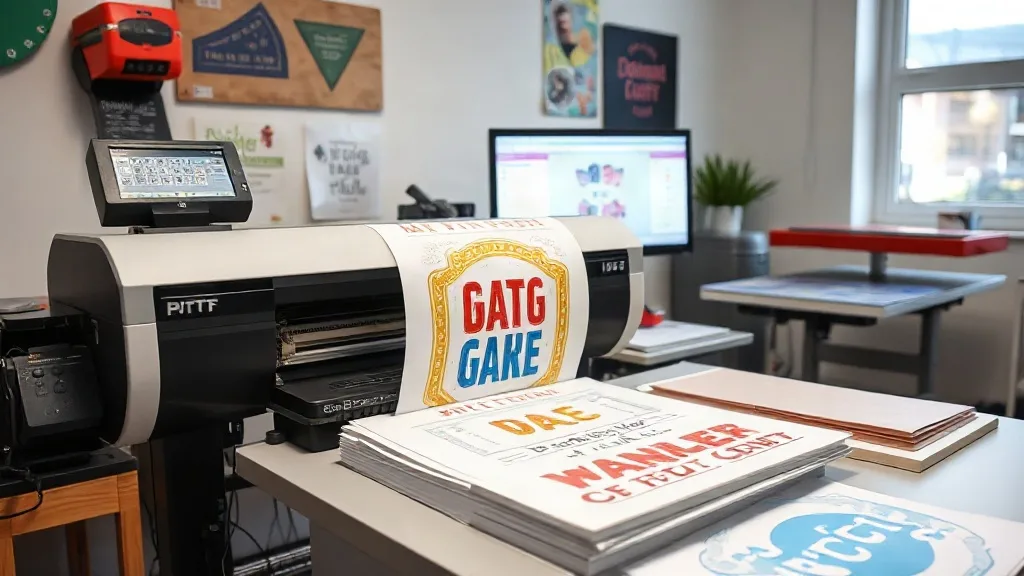
If you're new to DTF printing, you've probably heard about DTF Gangsheet and wondered how to use it effectively. In simple terms, a gang sheet is a large film layout that holds multiple designs, allowing you to print several transfers in one pass. This not only saves time but also reduces film waste and cuts costs. In this guide, we'll walk you through the entire process of creating a gang sheet, from file preparation to printing, so you can achieve flawless results every time.
What Is a DTF Gangsheet and Why It Matters
A DTF gang sheet is essentially a composite of multiple designs arranged on a single sheet of DTF film. Instead of printing each design individually, you group them together, maximizing the use of the film and minimizing waste. This approach is especially beneficial for small batch orders, where printing each design separately would be inefficient and costly.
But why does it matter? For starters, gang sheets save you money on film and ink. They also streamline your workflow by reducing the number of print jobs and setup times. Plus, they allow you to produce a variety of designs quickly, which is perfect for on-demand printing and custom apparel businesses.
Preparing Your Files for a DTF Gangsheet
The key to a successful gang sheet lies in proper file preparation. A poorly prepared file can lead to misprints, wasted materials, and frustration. Here's what you need to know.
Image Resolution and Format
Always start with high-resolution images. For DTF printing, a minimum of 300 DPI (dots per inch) is recommended. Low-resolution images will appear pixelated and blurry when printed. Save your files in PNG or TIFF format with a transparent background to ensure clean edges and accurate color reproduction.
Color Mode and Profiles
DTF printers use CMYK color mode, so make sure your files are set to CMYK. Also, consider using color profiles that match your printer and ink set. This will help you achieve consistent and vibrant colors. If you're unsure, consult your printer's manual or software documentation for recommended settings.
Spacing and Nesting
When arranging designs on your gang sheet, leave enough space between them to avoid color bleeding and ensure clean cuts. A general rule of thumb is to leave at least 0.25 inches (6 mm) of space between designs. Nesting designs closely can save film, but don't sacrifice quality for space. Use your design software's nesting tools to optimize layout without compromising spacing.
Adding Registration Marks
Registration marks help align the film correctly during printing and cutting. Most DTF software automatically adds these marks, but if you're manually arranging, make sure to include them. They are small crosses or lines placed at the corners of each design, ensuring precise positioning.
Choosing the Right Materials
The quality of your gang sheet also depends on the materials you use. Not all DTF films and powders are created equal. Here's what to look for.
DTF Film
Choose a high-quality DTF film that is compatible with your printer. Films come in different thicknesses and finishes. A thinner film (around 75 microns) is often preferred for detailed designs as it conforms better to fabrics. Also, ensure the film has a release layer that peels off easily after printing.
Adhesive Powder
The adhesive powder is what makes the transfer stick to the fabric. Use a fine-grain powder for smooth, even coating. Apply it evenly using a powder shaker, and shake off excess powder before curing. The right powder will ensure strong adhesion and durability.
Ink
Use DTF-specific inks that are formulated for film printing. These inks are designed to adhere to the film and produce vibrant colors. Using regular inkjet ink will not work and may clog your printer.
Step-by-Step Guide to Creating a DTF Gangsheet
Now that you have your files and materials ready, let's go through the process of creating a gang sheet from start to finish.
- Set Up Your Canvas: Open your design software and create a new document with the dimensions of your DTF film (e.g., 13x19 inches for A3+). Set the resolution to 300 DPI and color mode to CMYK.
- Import and Arrange Designs: Import your designs and arrange them on the canvas. Use the nesting tools to optimize space, but maintain the recommended spacing between designs.
- Add Registration Marks: If your software doesn't automatically add them, place registration marks at the corners of each design.
- Review and Proof: Before printing, review the layout for any overlaps or errors. Print a proof on plain paper to check colors and alignment.
- Print the Gang Sheet: Load your DTF film into the printer and print the gang sheet. Ensure the film is loaded correctly to avoid jams.
- Apply Adhesive Powder: While the ink is still wet, apply adhesive powder evenly over the printed area. Shake off excess powder.
- Cure the Powder: Use a heat press or oven to cure the powder. Follow the manufacturer's recommended temperature and time (typically around 350°F for 2-3 minutes).
- Press and Peel: Once cured, your gang sheet is ready to use. Cut out individual designs and press them onto fabric using a heat press. Peel off the film while hot or cold, depending on the film type.
Common Mistakes to Avoid
Even experienced printers make mistakes. Here are some common pitfalls to watch out for.
- Insufficient Spacing: Crowding designs can cause ink to bleed and make cutting difficult.
- Low-Resolution Images: Using low-res images results in poor print quality.
- Uneven Powder Application: Too much or too little powder can affect adhesion and durability.
- Improper Curing: Under-curing leads to wash-off, while over-curing can make the transfer brittle.
Frequently Asked Questions
What is the ideal size for a DTF gangsheet?
The size depends on your printer's maximum film width. Common sizes are 13x19 inches and 17x24 inches. Choose the size that fits your designs and printer.
Can I reuse a DTF gangsheet?
No, DTF gangsheets are single-use. Once the designs are pressed onto fabric, the film cannot be reused.
How do I store DTF gangsheets?
Store them in a cool, dry place away from direct sunlight. Use a dust-free container to prevent contamination.
Do I need a special printer for DTF gangsheets?
Yes, you need a DTF printer that uses DTF ink and film. Converted inkjet printers can also be used with DTF ink systems.
What fabrics can I press DTF transfers onto?
DTF transfers work on a wide range of fabrics, including cotton, polyester, blends, and even nylon. They are not recommended for fabrics with heavy textures or coatings.